For Apple Vision Pro

Learn piano on the piano you already own.

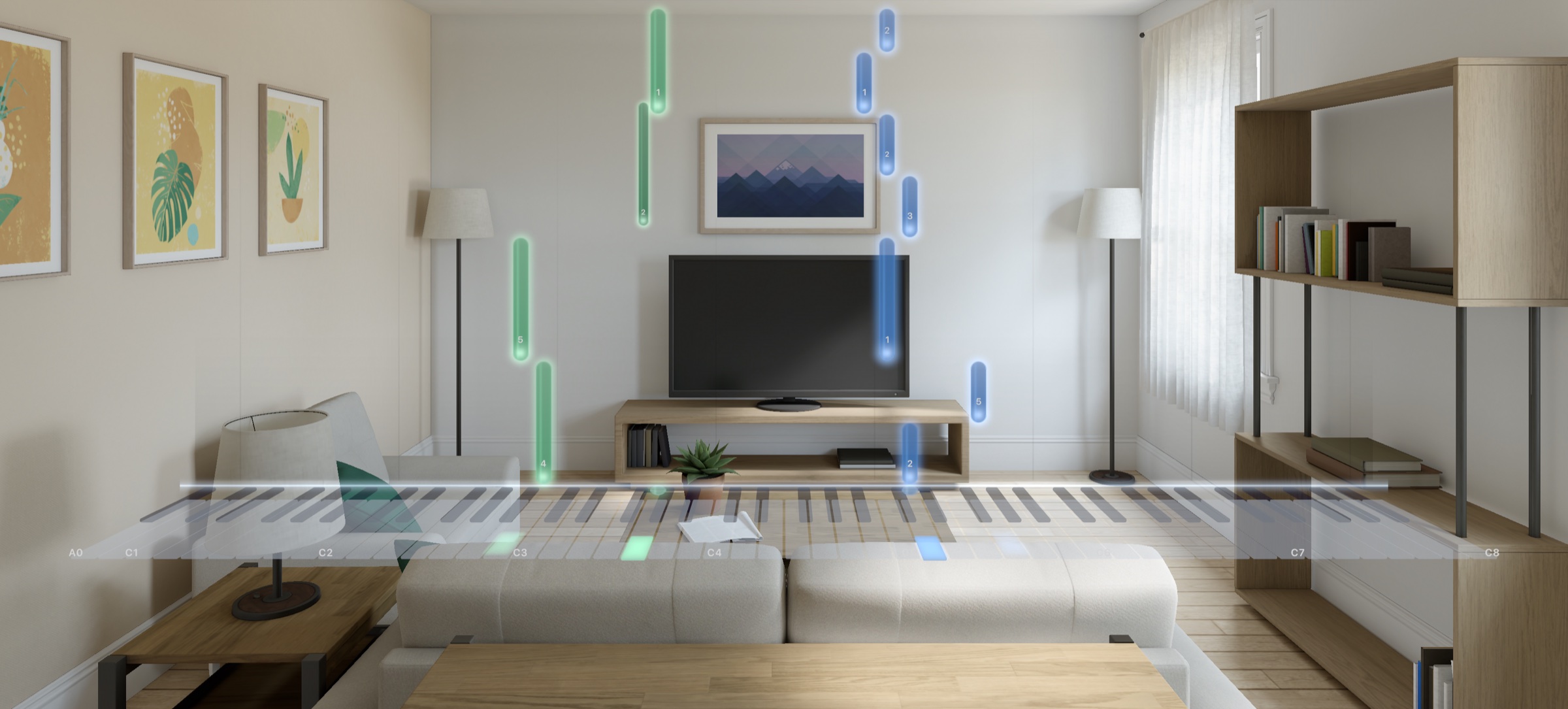
Notes fall onto your real keys. The help fades as you learn, until you play your pieces without the headset.

Coming soon to the App Store · One purchase, no subscription

Blue and green notes falling onto a piano keyboard in a living room, seen through Apple Vision Pro, with the practice controls floating above
114public-domain pieces
86lessons in 15 units
5mini games for reading, ear and rhythm
3days free to try everything
0subscriptions or ads
BachMozartBeethovenChopinSchumannTchaikovskyBrahmsHaydnBurgmüllerFolk songs from a dozen countries
How it works

Sit down at your piano. Keyspace does the rest.

01

Connect your piano

Any digital piano or MIDI keyboard over Bluetooth, or through a Mac. Acoustic piano? The microphone listens instead.

02

Line up the keys

Press the lowest and highest key a few times. Hand tracking finds your keyboard and remembers where it is in your room.

03

Play

Notes fall onto the keys you need, with the finger to use. Keyspace hears every note and waits for you if you want it to.

Features

Everything you need to go from first notes to real pieces.

Learning path

Help that fades as you learn.

Each piece is split into short sections. You listen first, learn each hand, then both, then bring it up to speed. Then the help steps back until you play from memory.

Full helpFalling notes, names and fingers
Less helpNotes without labels
Sheet musicNotes a beat ahead
From memoryKeys light up only if you're stuck
A song page in Keyspace showing Für Elise with Learn and Play buttons and the steps of its learning path
Every day

A short plan, ready when you are.

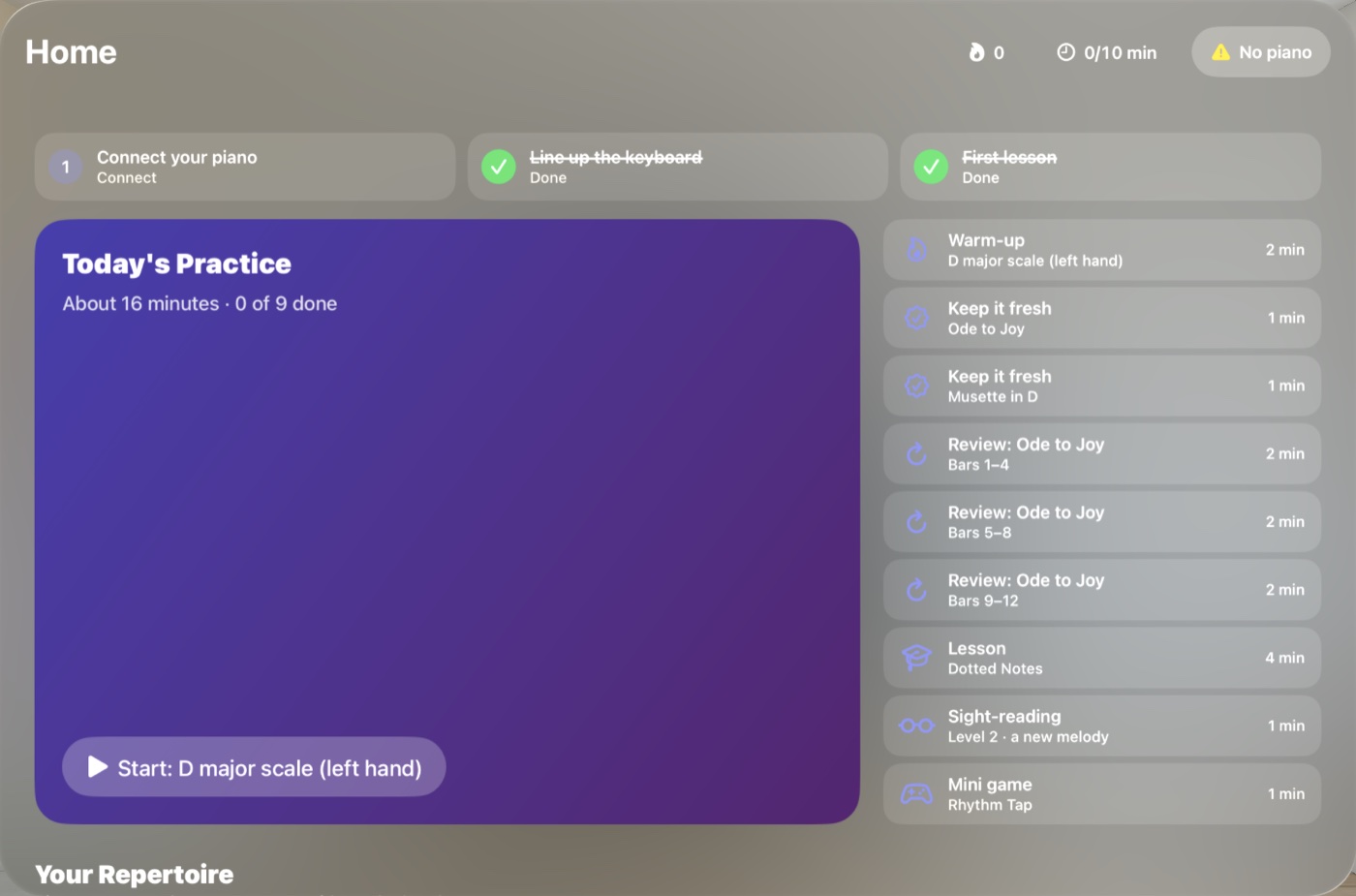
Today's practice mixes what you're learning, quick reviews of what you already know, a lesson, a sight-reading melody and a game. Pieces you can play on your own come back for refreshers so you keep them.

  • Warm-ups with scales and arpeggios
  • Reviews spaced over days, weeks and months
  • Streaks, a daily goal and a home view widget
The Keyspace home screen with today's practice plan: warm-up, reviews, a lesson, sight-reading and a mini game
Library

114 pieces, from first songs to Chopin.

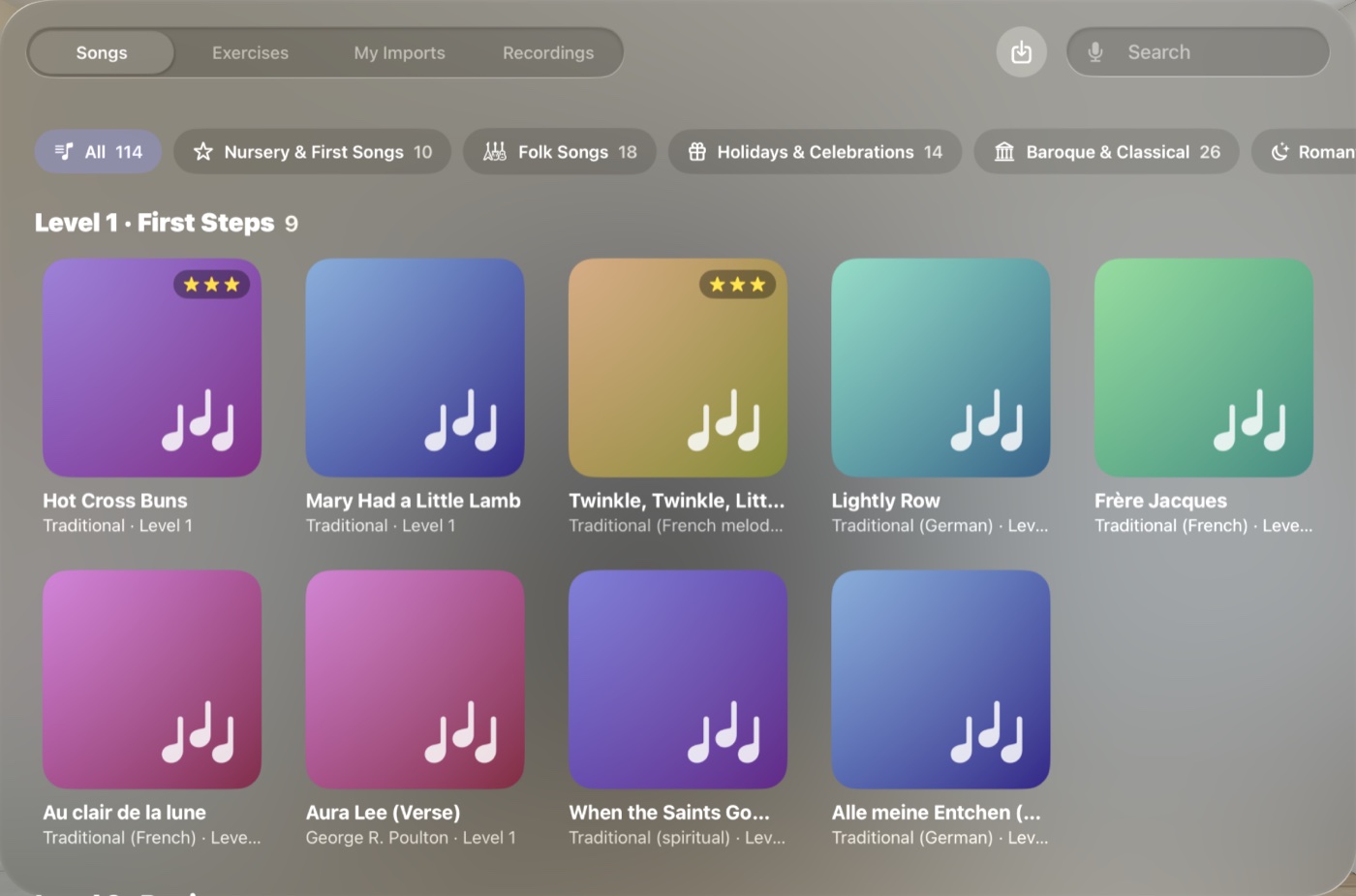
Nursery songs, folk tunes, holiday music, Baroque and Classical favorites, Romantic pieces, ragtime and music from around the world, arranged for learners. Bring your own as MIDI or MusicXML too.

  • 86 lessons, from middle C to pedal, minor keys and scales
  • Sheet music next to the notes, printable as a PDF
  • Note names in C D E, Do Ré Mi or German
The Keyspace library with song categories and colorful song cards
Progress

See yourself get better.

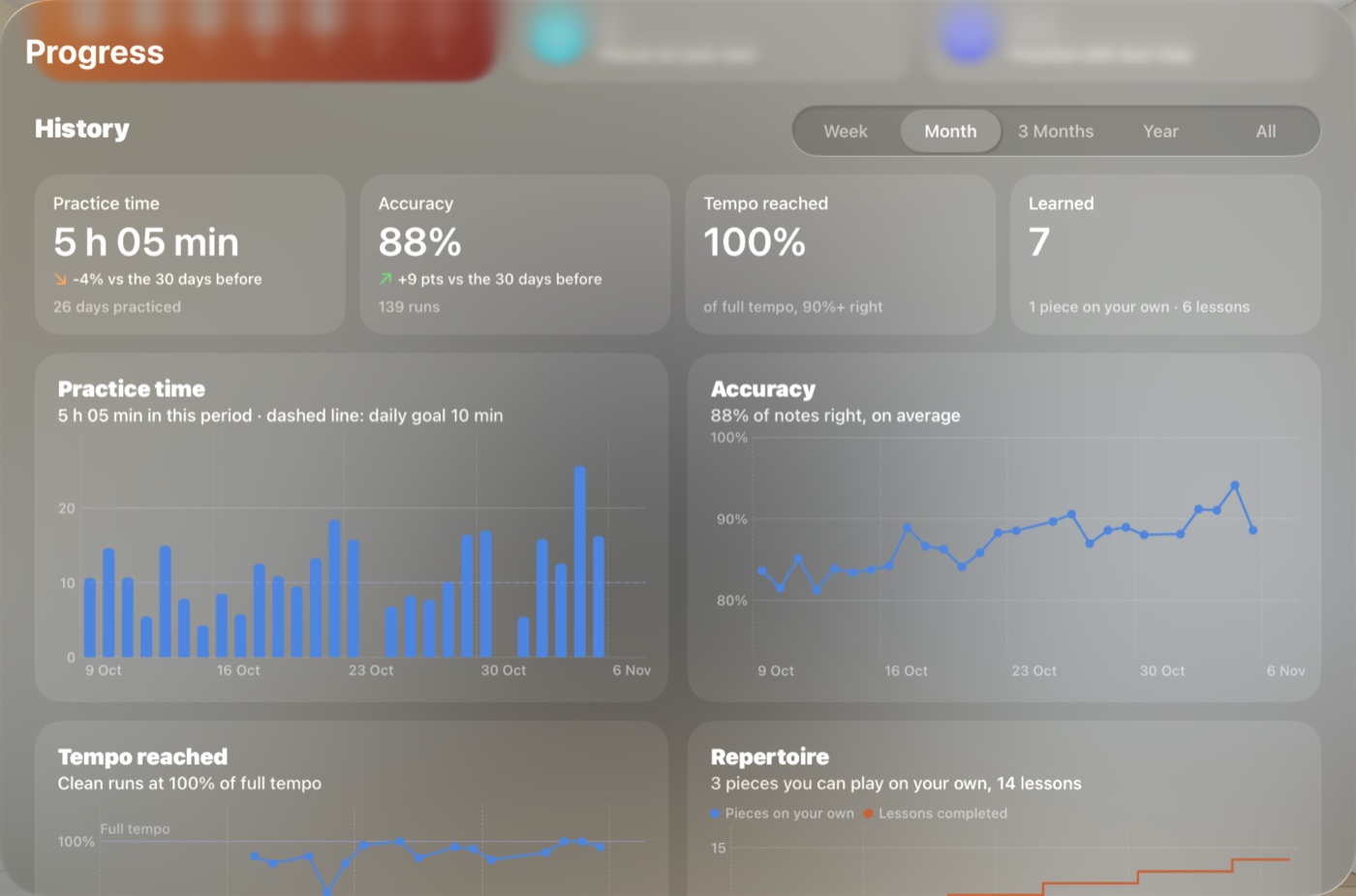
Practice time, accuracy, the tempo you play cleanly and the pieces you can play on your own, by week, month or year. After each run you also get your timing, weak bars and which finger played each note.

The Keyspace progress view with charts of practice time, accuracy, tempo and repertoire
Keyspace's jazz club environment: brick walls, a neon sign, a bar and an audience around the piano
Environments

Practice anywhere. Even on stage.

Stay in your room, or play in a jazz club, a concert hall or under the night sky, with your real piano right where it is.

Your roomJazz clubConcert hallNight sky
The science

Built on how people actually learn.

Every step of the learning path follows published research on learning music and motor skills. The app explains each one, with its sources.

Hear it first

Listening to a piece before playing it makes the first tries more accurate.

Rosenthal, 1984

Small sections

Short passages, mistakes fixed where they happen, then joined together.

Duke, Simmons & Cash, 2009

Twice in a row

A step counts after two good runs in a row, not one lucky one.

Rawson & Dunlosky, 2011

Help that fades

Guidance that never goes away holds learning back, so it steps aside as you improve.

Winstein & Schmidt, 1990

Spaced reviews

Pieces come back after days, then weeks, then months, so they stick.

Cepeda et al., 2006

Sleep on it

Finger skills improve overnight. After about six minutes on one section, you move on.

Walker et al., 2002

Mix it up

Learn new sections one at a time, then alternate while polishing.

Carter & Grahn, 2016

Read every day

Sight-reading grows with how much new music you read, so there's a new melody daily.

Kopiez & Lee, 2008
Pricing

Pay once. Keep it.

Try every feature free for 3 days. If you like it, unlock Keyspace with a single purchase. No subscription, no ads, and nothing is ever charged automatically.

$29.99once
  • All 114 pieces and 86 lessons
  • The full learning path, reviews and daily plan
  • Sight-reading, games and progress history
  • Every environment, recording and MIDI import
  • Updates included
Start your free trial

Coming soon to the App Store. Prices vary by country and are shown in the App Store.

Questions

Good to know.

Which pianos work with Keyspace?

Any digital piano or MIDI keyboard that connects over Bluetooth MIDI, like a Roland FP-10, or one connected through a Mac with Network MIDI. Full-size 88-key keyboards line up best, and 25 to 76 keys work too. With an acoustic piano, Keyspace listens through the microphone, which works best for one hand or simple chords.

What do I need?

An Apple Vision Pro with visionOS 26 or later, and ideally a piano or keyboard. Without one, you can still use the on-screen keyboard for the games and free play.

Do I need to read music?

No. You start with falling notes on the keys, with note names and finger numbers. The sheet music is shown next to the notes, and the lessons and daily sight-reading teach you to read it at your own pace.

How does Keyspace find my keyboard?

Press the lowest and the highest key three times each. Hand tracking sees which finger pressed them, finds the front edge of the keys in your room and remembers the spot. You can fine-tune it by hand, and Keyspace learns from your adjustments.

What happens after the free trial?

Nothing, unless you choose to buy. The trial never turns into a charge. Buy once and Keyspace is yours, on every Vision Pro signed in with your Apple Account.

What data does Keyspace collect?

None. Your practice, settings and recordings stay on your Vision Pro. Hand tracking, world sensing and the microphone are processed on the device. Read the privacy policy.
Your piano is waiting.

Ten minutes a day, on the keys you already have.